



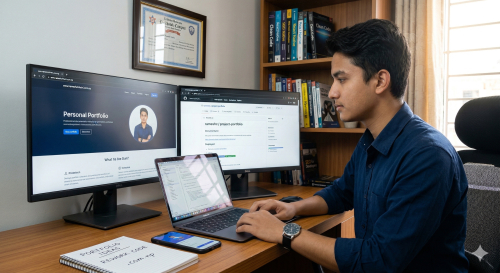
You finished your final year project or a mid-semester assignment. It works—mostly. The code is a bit of a mess, the UI is the default Bootstrap theme, and the database credentials might even be hardcoded in a forgotten script. In the academic world, that gets you an "A." In the professional world of Pulchowk, Tinkune, and Jawalakhel tech hubs, it gets your resume ignored.
Most Nepali IT students treat their projects as a hurdle to clear rather than an asset to own. The gap between a "college project" and a "portfolio piece" isn't just about the complexity of the code; it is about presentation, reliability, and accessibility. If a hiring manager at a top local firm cannot see your work live within two clicks, the work effectively does not exist.
The UI/UX Overhaul: Moving Beyond the Default
First impressions are visual. Whether it is a Flutter app or a React web dashboard, "functional" is the bare minimum. Employers look for attention to detail that suggests you can build products for real users.
Polishing the Interface
- Consistency: Ensure your padding, margins, and font sizes are uniform. A common mistake in student projects is using inconsistent button shapes or five different shades of the same primary color.
- The "Empty State" Fix: Most student projects look great with dummy data but break visually when the database is empty. Design "Empty State" screens (e.g., "No tasks found! Add one to get started").
- Asset Optimization: Replace heavy, uncompressed images with WebP formats or optimized SVGs to ensure the project loads fast even on slower NTC or Ncell data connections.
Key Insight: A project that looks professional but has simple logic often ranks higher in a recruiter's mind than a complex backend hidden behind a broken, unintuitive interface.
Documentation: Writing for Humans, Not Just Compilers
Your GitHub repository is your digital storefront. If your README only contains the default "This project was bootstrapped with Create React App," you are failing the interview before it starts.
The Anatomy of a Professional README
A high-quality README should act as both a manual and a sales pitch. Include these specific sections:
- The Pitch: A three-sentence summary of what problem the project solves.
- Tech Stack: A clean list of languages, frameworks, and libraries used.
- Core Features: Bullet points highlighting the "smart" parts of your code.
- Installation Guide: Clear, step-by-step commands to get the project running locally.
- Environment Variables: A
.env.examplefile so others know what keys are needed without you exposing your own secrets.
Technical Standards
- Clean the Repo: Remove "TODO" notes and massive blocks of commented-out code.
- Diagrams: For engineering students, including a high-level system architecture or ER diagram shows you understand how data flows.
The Quality Assurance Layer: Test Cases and Edge Cases
In the industry, code that isn't tested is considered broken. Adding a testing suite to a college project is the fastest way to signal that you are industry-ready.
Implementing a Testing Strategy
- Unit Tests: Write tests for your core logic (e.g., a tax calculation function or a date formatter).
- The "Happy Path" vs. "Edge Cases": Document how your app handles wrong inputs, such as a user entering text in a phone number field.
- Manual Test Log: If automated testing is too heavy for the project, create a
TESTING.mdfile listing five manual test cases you performed and their results.
Hosting and Accessibility: Making it Live in Nepal
A GitHub link is good, but a live URL is better. For Nepali students, you have two distinct paths: global speed and local branding.
Global Free-Tier Options
For quick deployment without a credit card, utilize these platforms:
- Web Frontends: Vercel or Netlify (best for React, Vue, Next.js).
- Backends/APIs: Render or Railway (great for Node.js, Python, or Go).
- Databases: MongoDB Atlas (NoSQL) or Supabase (PostgreSQL).
The Nepal Advantage: The .com.np Domain
In Nepal, you can register a .com.np domain for free for life. This adds a layer of localization and professionalism.
- Registration: Head to register.com.np. You will need a scanned copy of your citizenship (Nagarikta).
- Personal Branding: Use a format like
yourname.com.np. - Linking: Connect this domain to your Vercel or GitHub Pages site. This tells local employers you understand the local digital infrastructure.
High-Value "Final Polish" Features
To move a project from "Assignment" to "Product," add features that demonstrate real-world thinking.
- Authentication: Replace hardcoded users with JWT or Firebase Auth.
- Error Handling: Add "Toast" notifications or modals to tell the user when something goes wrong.
- Demo Video: Record a 2-minute walkthrough using Loom or OBS. Embed this at the top of your README. Many recruiters prefer watching a quick video over installing your dependencies.
Pro Tip: Host your refined projects on a central "Portfolio Website." This site should act as a directory that links back to the specific GitHub repositories for deep-dives into the code.
How to Include Your Project on Your CV
Even the most polished project loses its impact if it is buried in a dry, one-page resume. To catch the eye of a Technical Recruiter, you must translate your technical labor into professional value.
Strategic CV Placement
Do not simply list your project under a "Projects" heading. Instead, treat it like a mini-job entry using the Action-Result framework.
- Instead of: "Built an e-commerce app using React."
- Try: "Developed a full-stack e-commerce platform using the MERN stack, featuring JWT authentication. Reduced initial load time by 30% through image optimization and lazy loading."
The Project Entry Structure
- Project Title & Link: Bold the title and hyper-link it to your live site or GitHub repo.
- The Tech Stack: List specific tools (e.g., Python, PostgreSQL, Docker).
- Key Highlights: Use bullets to focus on the "extra polish" (e.g., "Implemented comprehensive unit testing" or "Integrated .com.np domain for local accessibility").
The difference between a student and a professional is the "extra 20%." Most students stop when the code works; professionals stop when the code is readable, the UI is intuitive, the tests pass, and the project is live.
By taking your old college assignments and applying this framework—polishing the UI, documenting like a pro, and hosting on a local domain—you transform a forgotten folder on your hard drive into your most powerful job-seeking weapon.
Your Next Step: Pick one project from last semester. Spend this weekend fixing only the README and the hosting. Then, update your CV using the Action-Result framework to see how much more authoritative your profile becomes.
0 Comments